Running a guest guide for a multi-room property or hostel
A guidebook tool built for a single flat falls apart the moment you have a building: eight rooms, eight door codes, shared spaces, and codes that change every week. You end up with eight near-identical guides to maintain, or one guide that leaks every room's code to every guest.
One guide, per-room secrets
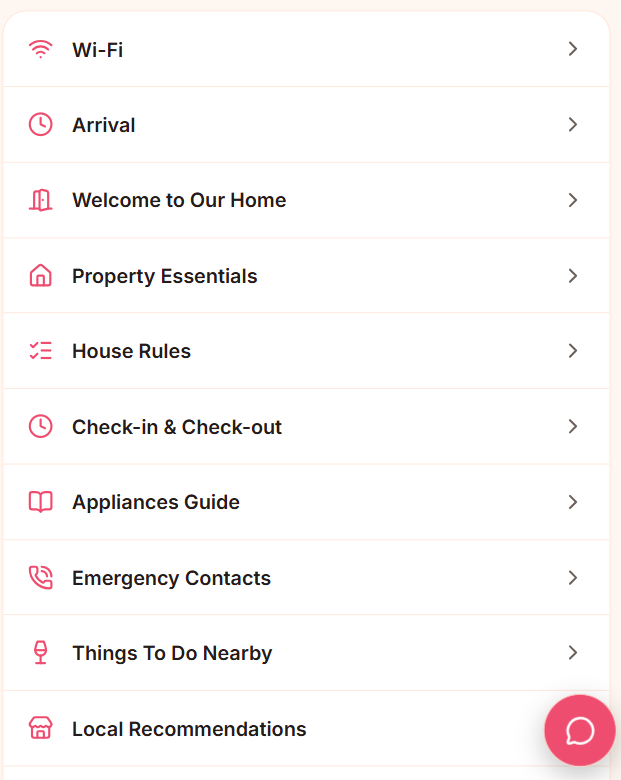
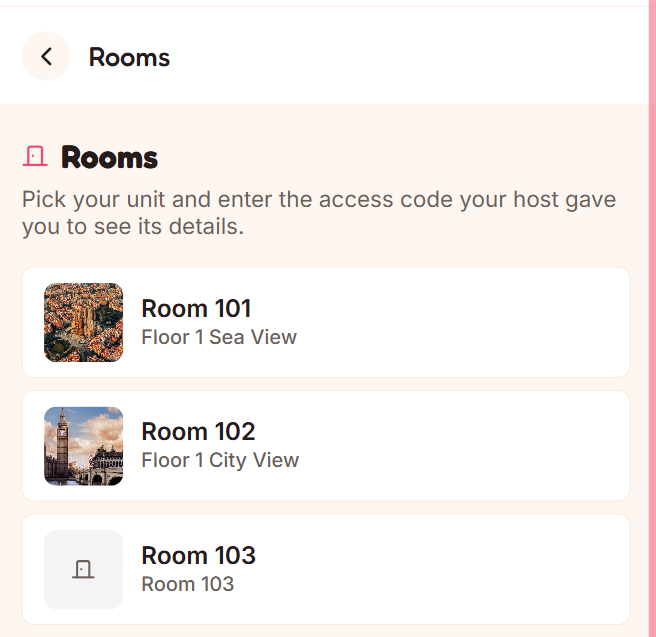
Guest360 PRO's Units feature is one guide for the property. The shared content — house rules, local tips, checkout, the Wi-Fi in common areas — is written once. Then each unit has its own private block: door code, room Wi-Fi, and any room-specific notes, all sitting behind a per-unit access code you give only to that room's guest.
Codes that change
For a self-check-in building where codes rotate:
Rotate codes in bulk — update every unit's access code and door code in one pass, copy the hand-out list, and paste it straight into a spreadsheet.
The guest always sees the current code — you're not reprinting anything.
Regenerate everything behind a confirmation when you need a clean slate.
QR stickers per room
Print a sheet of QR codes — one per unit — on A4 or Letter sticker paper, optionally with the room name and a line of extra info, then cut them out and stick one on each fridge. A guest scans their room's code and lands directly on their unit, ready to enter the access code.
Who it's for
Hostels, aparthotels, multi-room B&Bs, a house let by the room. Anywhere "one guidebook per listing" stops making sense.